

Where AI sits in our design process, what it changes for the client, and which decisions stay with the designer.
Clients increasingly ask us how we use AI. Behind that question is usually a more important concern: who is responsible for what ends up in the product, and who can explain a decision when its consequences appear months later.
AI has changed how quickly we can organise information, explore an idea and turn a flow into something people can use. At the same time, our team remains responsible for every design decision, and we measure each one against the client’s business goals.
We treat AI as one tool in a much broader design toolkit, alongside Figma, Adobe applications and the systems we use for research, prototyping and documentation. Our designers decide when it is useful, how it is used and what, if anything, becomes part of the final product.
That is what Human-Led Design means to us: design for people, made by real people.

The designer directs the process from beginning to end
Our projects always begin with the product, the people using it and the business problem behind the brief. We review what already exists, identify where the experience creates friction, and turn those findings into clear requirements.
AI can help us organise the material, but our designers determine which signals matter, how they change the brief and what the product needs next.
From there, the designer directs the work by defining what to build, what to leave out, which version moves forward and when the result is ready for client review.
AI has a defined place in our process
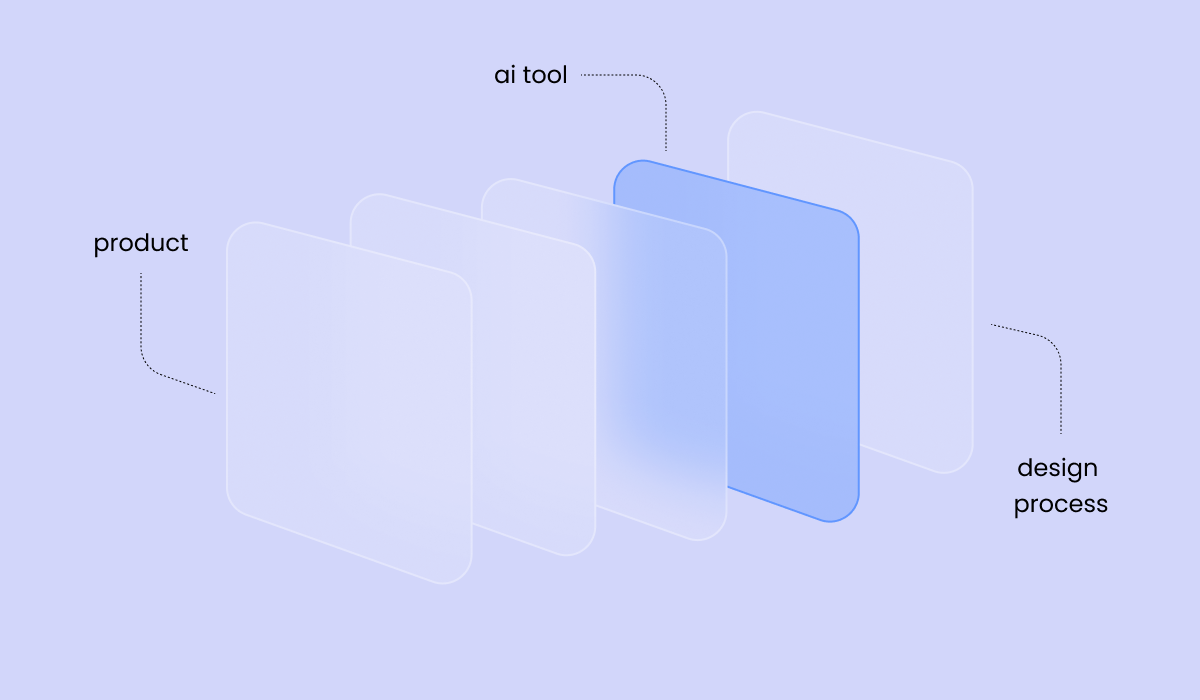
We use AI where it reduces production friction and gives the team more time for judgement. In practice, it supports three parts of the process.
Organising findings and documenting decisions. AI helps us structure research material, project notes, feedback and decision history. The designer reviews that material and decides what becomes part of the project direction.
Building and iterating prototypes. Once a flow and its requirements are defined, tools such as Claude can help us turn them into an interactive prototype. The designer directs the work, reviews every iteration and decides what survives.
Supporting Figma and handover documentation. Component specifications, states, and handover documents contain a lot of repetitive structure. AI can help us prepare and organise that material, while the designer checks the details and approves the final documentation.
| Step in the process | Designer’s responsibility | AI’s role |
| Reviewing the existing product and defining requirements | Interprets the context, identifies the problem and sets the direction | Organises findings and helps structure the material for rev |
| Choosing what to build and what to leave out | Decides priorities, scope and product direction | Has no decision-making role |
| Building the prototype | Directs the work, reviews iterations and makes the design decisions | Helps translate the defined flow into an interactive prototype |
| Checking flows, states and accessibility | Validates the work against requirements and agreed standards | Helps document issues and revisions, but does not approve the result |
| Confirming the final direction | Aligns with the client and owns the recommendation | Has no decision-making role |
| Preparing Figma, component specifications and handover | Defines, reviews and approves the delivery | Helps organise and draft repetitive documentation structures |
A tool can produce a screen, but it cannot be accountable for one.
What this looked like on a recent project
On a recent redesign of a complex workflow inside an existing B2B product, our designer used Claude as a prototyping assistant while the design direction was still open.
We started by reviewing the existing experience and defining the requirements. From there, the designer directed the prototype, reviewed the output and made the final design decisions.

The client could then review the product as a working experience in the browser. Instead of imagining how a static screen might behave, the team could move through the flow, examine what happened when information was missing or actions conflicted, and discuss changes while they were still inexpensive to make.
Once the client confirmed the direction, we moved the work into Figma as a record of decisions they had already reviewed. We documented screens, components, states and specifications for development, with the prototype providing the behavioural reference behind them.
The prototype made the review more concrete, allowing the client and the design team to discuss the same working experience instead of relying on different interpretations of a static screen.
A working prototype still has to earn our confidence
A clickable interface can make the primary flow feel resolved before we explore the less predictable parts of the experience. We therefore treat the prototype as a stage in the design process and check it against the same requirements and standards as any other design output.
| Step in the process | Designer’s responsibility |
| Reviewing the existing product and defining requirements | Interprets the context, identifies the problem and sets the direction |
| Choosing what to build and what to leave out | Decides priorities, scope and product direction |
| Building the prototype | Directs the work, reviews iterations and makes the design decisions |
| Checking flows, states and accessibility | Validates the work against requirements and agreed standards |
| Confirming the final direction | Aligns with the client and owns the recommendation |
| Preparing Figma, component specifications and handover | Defines, reviews and approves the delivery |
In the project above, we generated the design token system from the confirmed prototype. We validated it in Figma, so the values we handed to the development team carried decisions the client had already seen working.
The value lies in what the saved time makes possible
We use AI when it helps us clarify a decision earlier, build something testable sooner or reduce repetitive production work. The time saved goes back into understanding users more deeply, exploring more ideas and testing them earlier when testing is part of the project scope.
For clients, that means a clearer picture earlier, review conversations about something real, and more attention on the decisions that affect how your product performs.
The time a tool saves is only worth something when it goes back into the thinking.
If a tool does not improve the quality of the work, the clarity of the process or the value delivered to the client, it does not belong in that process.
AI can help produce and organise working material, but our designers define the problem, direct the process, review the output and make every final design decision. We remain responsible for explaining why each decision is there and how it supports the product and the business.
Accountability remains with us regardless of which tools support the process. Because we document the work as we go, we can explain the reasoning, assumptions and constraints behind a decision whenever you need to revisit it.
It can shorten specific production and iteration cycles, particularly when we are structuring information, building prototypes or preparing repetitive documentation. We do not promise a fixed saving because the timeline still depends on product complexity, input quality, technical constraints, and feedback speed. The more reliable benefit is that important decisions can become visible and testable earlier.
AI does not replace user research or testing. It can help us reach a testable prototype sooner, creating more room for both when they are part of the project scope; recruiting participants, understanding their context, and interpreting what their behaviour means for the product remain the responsibility of the design team.
AI tools do not certify a design or decide whether it meets a standard. Our designers review the work against the accessibility requirements, regulatory constraints and technical conditions agreed for the project. We treat AI-generated or AI-assisted output as working material until that review is complete.
We define the boundaries of AI use for each engagement. The tools, the material involved, and the level of detail depend on the project's confidentiality, contractual requirements and the client's own policies. When a tool is not appropriate for a particular piece of information, that information stays outside the AI-assisted part of the process.
Clients do not need to learn a new tool to review the work. You review an interactive prototype through a browser link, and we deliver the final design in the format we agree on for the project. Depending on the scope, that may include Figma documentation, component specifications, design tokens and developer handover materials.
Make complex decisions visible earlier
If the decisions inside your product deserve to be visible and testable earlier than they are now, we will show you the process that gets you there.